![LOGO-WHITE-1.png]](https://support.radaro.com.au/hs-fs/hubfs/LOGO-WHITE-1.png?width=150&height=50&name=LOGO-WHITE-1.png)
Searchable Fields
| Customer Name | Pickup Customer Email |
| Customer Email | Pickup Customer Phone |
| Customer Phone | Job References - Fields 1, 2 and 3 |
| Delivery Address | Job Description |
| Pickup Address | Job Comments |
| Pickup Customer Name | Job Barcodes |
Note –
1) With a concatenated/grouped order, search functionality applies to the parent job only.
2) When searching a phone number, the number must begin with either 614 or 4xx (if you include the leading 0, the job will not be found).
3) Jobs within a 7 day time period can be searched
How to Search a Job
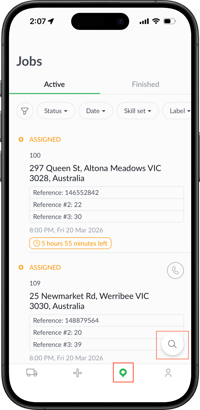
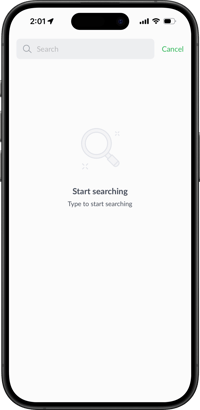
From the Job tab, click the magnifying glass icon (bottom right corner) to display the search bar (across the top).
Type at least three (3) characters to enable the app to find the job you are looking for.
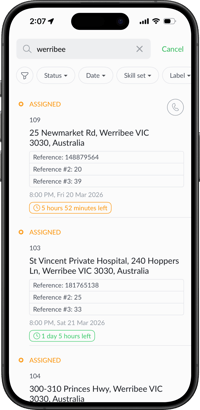
Other options to refine the view of jobs can be achieved via the filtering feature.
For further information about the Radaro Driver App, or to learn how Radaro can help streamline your operational workflows, please contact your Radaro Customer Success Manager or email support@radaro.com.au