![LOGO-WHITE-1.png]](https://support.radaro.com.au/hs-fs/hubfs/LOGO-WHITE-1.png?width=150&height=50&name=LOGO-WHITE-1.png)
In the Search field, type in your search criteria (in full or partial), press Enter and any jobs containing those details will appear.
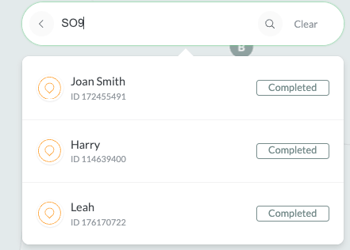
Searchable fields include:
- Client name
- Phone number
- Email address
- Job Reference fields
- Delivery Address
If their are multiple jobs meeting the criteria seached, the most recent jobs will appear first.
For further assistance with the Search feature or to learn how Radaro can help streamline your operational workflows, please contact your Radaro Customer Success Manager or email support@radaro.com.au