![LOGO-WHITE-1.png]](https://support.radaro.com.au/hs-fs/hubfs/LOGO-WHITE-1.png?width=150&height=50&name=LOGO-WHITE-1.png)
After optimising a route, you can download the detailed route information to use as a paper manifest, to upload into internal systems where an API integration is not in place or to view the route data in a different format.
Once a route is optimised, simply click Export CSV to generate a csv file with the full details pertaining to the route in question.
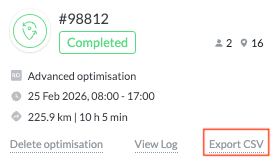
The Route Export file includes a full range of details including:
-
Drivers details including member ID
-
Predicted Arrival and Departure times
-
Job details including reference numbers, client name and address
-
Job Labels, Skill Sets, Capacity and Service/Dwell times
-
Routed Delivery Window
For further information about reporting, or to learn how Radaro can help streamline your operational workflows, please contact your Radaro Customer Success Manager or email support@radaro.com.au